• Automation

AI Agency

AI automation for your business.

Workflow automation, AI agents, CRM and dashboards that take work off your plate. You always have the final say.

Less manual work in your inquiries, quotes and admin.

  • Automation We automate the work that comes around every week.
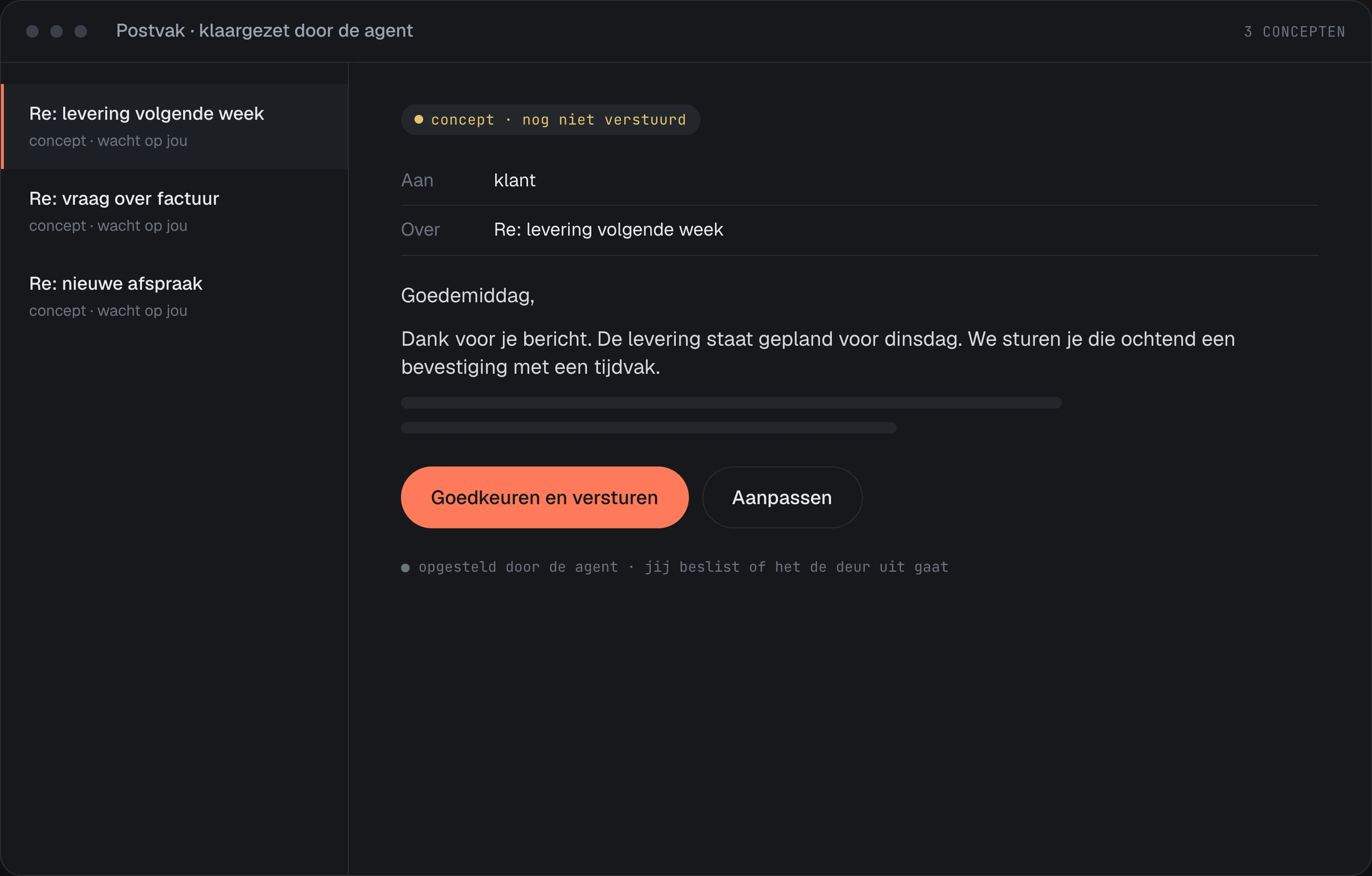
  • AI agents An agent reads the message and prepares the reply. You approve it.
  • A.C.E A.C.E (Automate, Check, Execute) is our own system for your inquiries, your inbox and your follow-up.
Built by Thiery & Pierce

A.C.E

Automate, Check, Execute

A system that does the groundwork: reading what comes in, looking up what's needed and preparing the reply or the quote. You press send.

01

Quote request

Reads the inquiry and the attachment, looks up your prices and prepares the quote in your template.

02

Work order to invoice

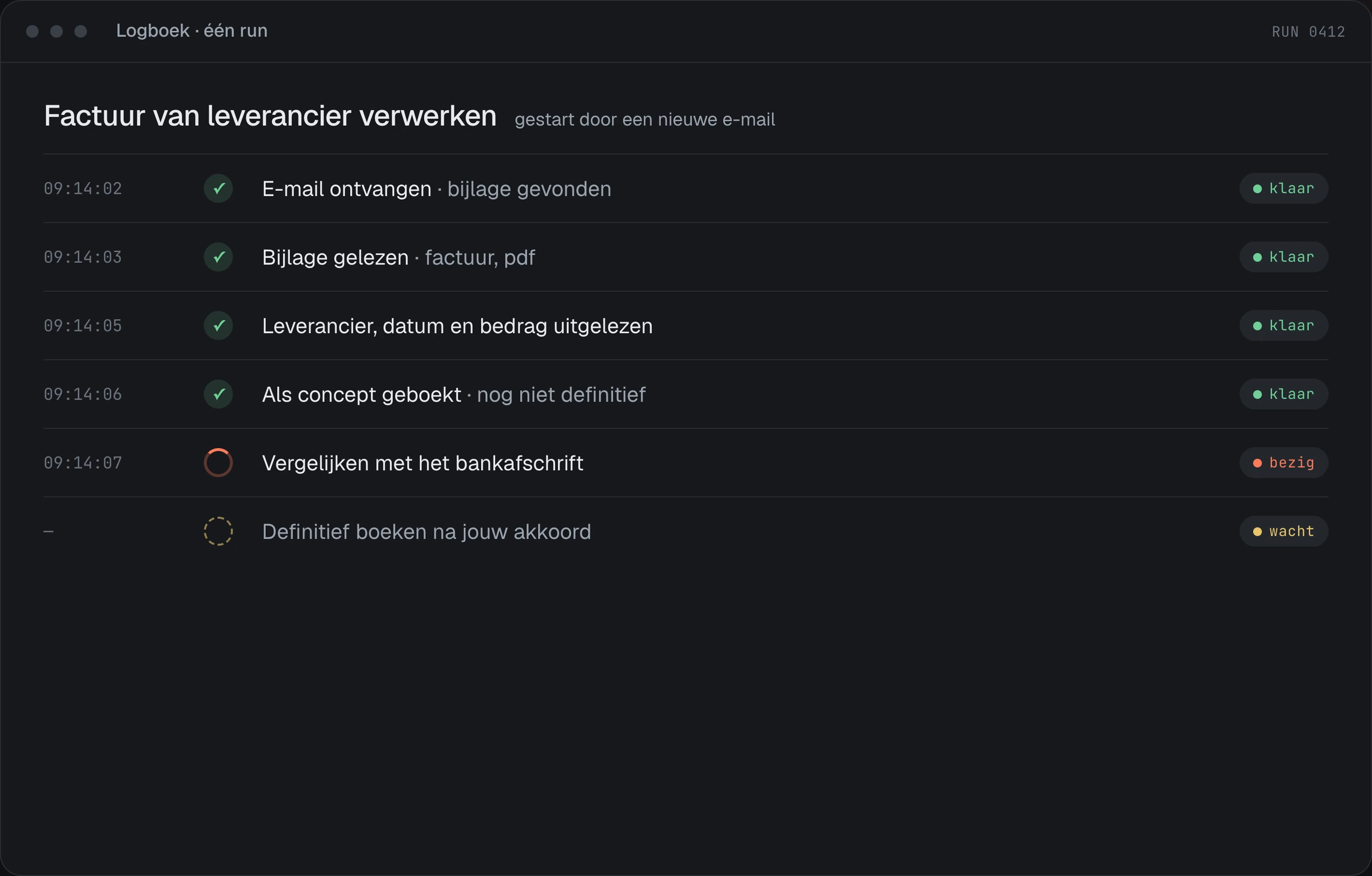
Pulls hours and materials from the work order and creates the invoice, with the right tax and the right project.

03

Receipts

Reads the amount, date and supplier from a photo of a receipt and files it in the right place in your accounting software.

04

Booking an appointment

Checks when it's possible, suggests three times and prepares the appointment as soon as there's a reply.

05

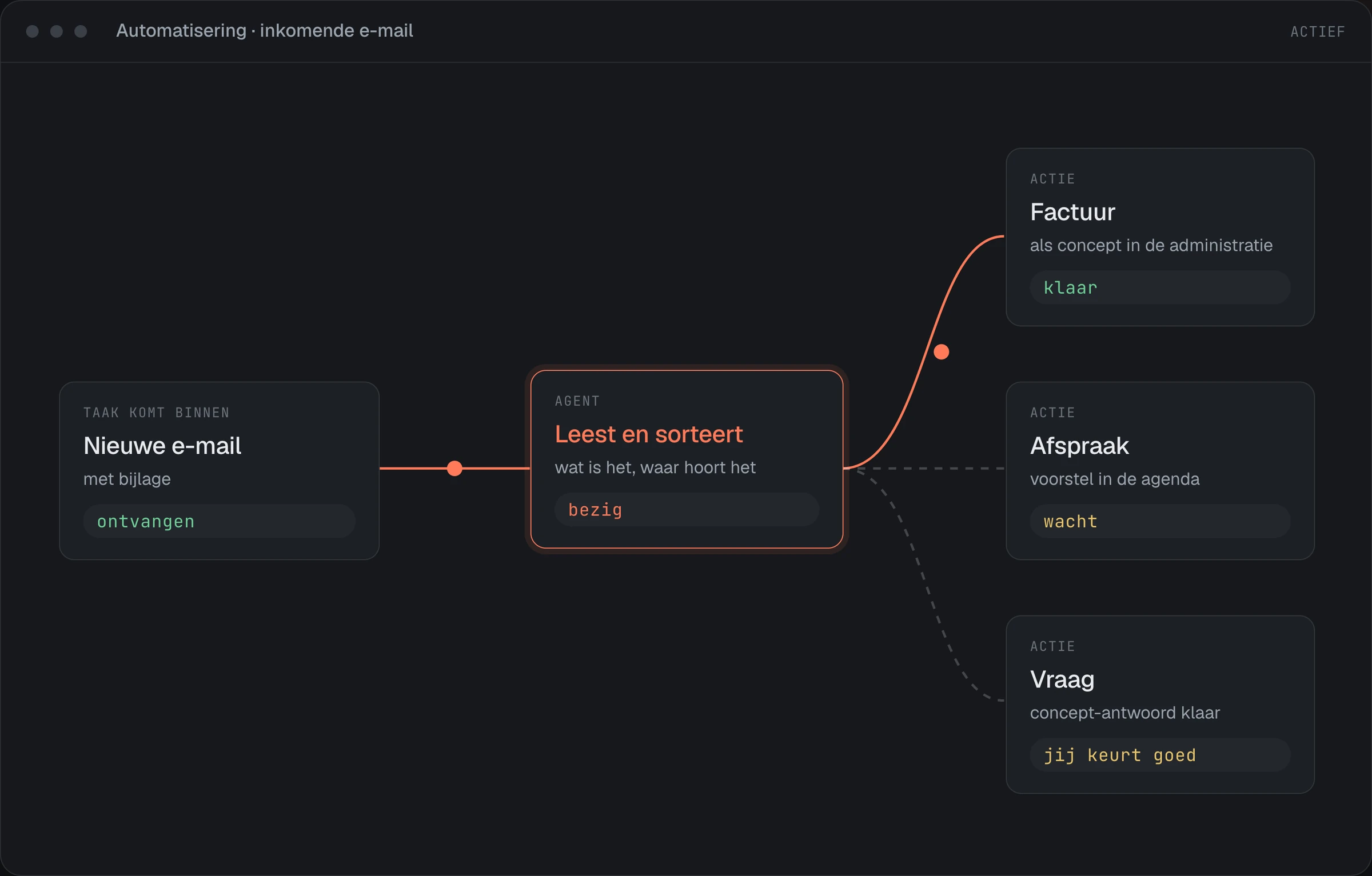
Incoming email

Sorts what comes in, picks out what is an inquiry and prepares a draft reply.

06

Follow-ups

Keeps track of which quotes haven't had a reply and puts them on your list before it's too late.

01 / 03

Automation

Recurring work with fixed steps, carried out automatically.

  • Inquiries from your site or your email go straight into your admin or CRM
  • Quotes and invoices prepared from a single source instead of retyped
  • Confirmations, reminders and follow-up emails that go out automatically
More about automation →
02 / 03

AI agents

A digital assistant that reads, researches and prepares, day and night.

  • Reading and sorting incoming email and inquiries, and preparing a reply
  • Draft quotes from an inquiry, a drawing or an earlier quote
  • Looking up information in your own documents, CRM or ERP
More about AI agents →
03 / 03

The risks, and what we do about them

Your systems, your data, your approval. We build it, you keep the keys.

  • Us having access to your data We shouldn't need it.
  • Your customer list in a free AI tool An employee pastes customer data into a chatbot, and you no longer know where it is.
  • A system that can access everything Each agent only gets access to the inbox, folder or list it needs for its task.
  • An invoice that goes out unchecked We agree up front what the system handles itself and what a person checks first, with a set dollar limit.
Ask how we set it up →

The result.

Time

The hours now spent on retyping, looking things up and chasing go back into the work that actually makes you money.

Overview

Inquiries, orders and appointments in one place, with a log of what happened. Nothing is left sitting in someone's inbox.

Fewer mistakes

No typos from retyping, no forgotten follow-ups, and every step done the same way every time.

Costs

Getting more work done without hiring extra people, and losing less money to mistakes and inquiries that go unanswered.

Help me choose

Which service is right for you?

The same work, week after week

Retyping data, creating invoices, passing files on. Then start with workflow automation.

Emails and inquiries pile up

Every message has to be read and answered. Then start with AI agents.

Customer data is all over the place

In your inbox, in Excel and in your head. Then start with a CRM.

Rule or agent

Not everything needs AI. Sometimes a fixed rule is better.

A fixed rule is cheaper, faster and more predictable. We only use an agent where something has to be understood.

Looking for fixed steps without AI, like a reminder or an invoice? See workflow automation.

A fixed rule is enough when

  • The rules don't change
  • The steps are the same every time
  • There's little text to understand
  • A mistake is easy to check

You need an agent when

  • What comes in is messy: emails, text, documents
  • Something has to be understood, not just moved
  • There are several possible next steps
  • A colleague deals with the exceptions
Work

What it did for others.

From a form and an inbox to an inquiry route you can rely on.

Confirmations in 4 languages · 3 backup routes · Out of the spam folder
Read the case study →

From recurring admin to a simpler way of working.

A personal email ready for each company · 1 inquiry with everything in it · A person always has the final say
Read the case study →

FAQ

Questions we get a lot.

Does everything need AI?

No. Where fixed steps are enough, we build a fixed rule. We only use an agent where a message has to be read and assessed.

Do you always build something new?

No. If an existing package fits, we set that up. We only build something custom where the package falls short.

Does an agent send replies itself?

No. Every reply stays a draft until you click send. An acknowledgment can go out automatically, if you switch that on.

Where does the data go?

The text is read by an AI model from an external provider. We choose a provider whose terms state that it does not use your data to train its model, and we agree with you where the data is processed.

Start the Business Health Check